Customize or Build Your Own Simulation | iluminr
Back to scenarios Customize & build

Your scenarios, your way.

Start from a template, make it yours in minutes, or build something entirely new. Every simulation, however you create it, runs on the same platform and feeds the same Capability Intelligence.

See the builder in a demo Browse templates

Four ways to create a simulation

Run a template as is

Start from the Simulation Template Library. Every template is ready to launch, with injects, objectives and debrief built in.

Customize a template

Adapt any template to your organization: roles, plans, critical services, terminology, regulators and branding. Most teams start here.

Build from scratch

Use the iluminr builder to design your own scenario, with your own injects, objectives, information board and task board.

Have our experts build it

Our team designs a bespoke simulation with you, from scenario research to facilitation and the debrief.

What you can customize

Many teams run mostly off-the-shelf content with a layer of customization on top. You change what makes it yours and keep everything that already works.

Welcome screen
Greet each participant by name, with your description and learning objectives up front.
Roles and owners
Name the teams, roles and deputies who respond, so people practice their actual responsibilities.
Plans and playbooks
Point tasks at your own response plans, so the exercise tests what you would really do.
Critical services
Swap in the services and impact tolerances that matter to your organization.
Injects
Edit or add video, email and news injects to match your threats and your world.
Objectives and scoring
Set the learning objectives and what good looks like for each decision.
Language and region
Localize terminology, regulators and language, for example US or UK English, or Italian.
Edit the description, objectives and every screen, including media injects.
Event room setup

Set the starting conditions

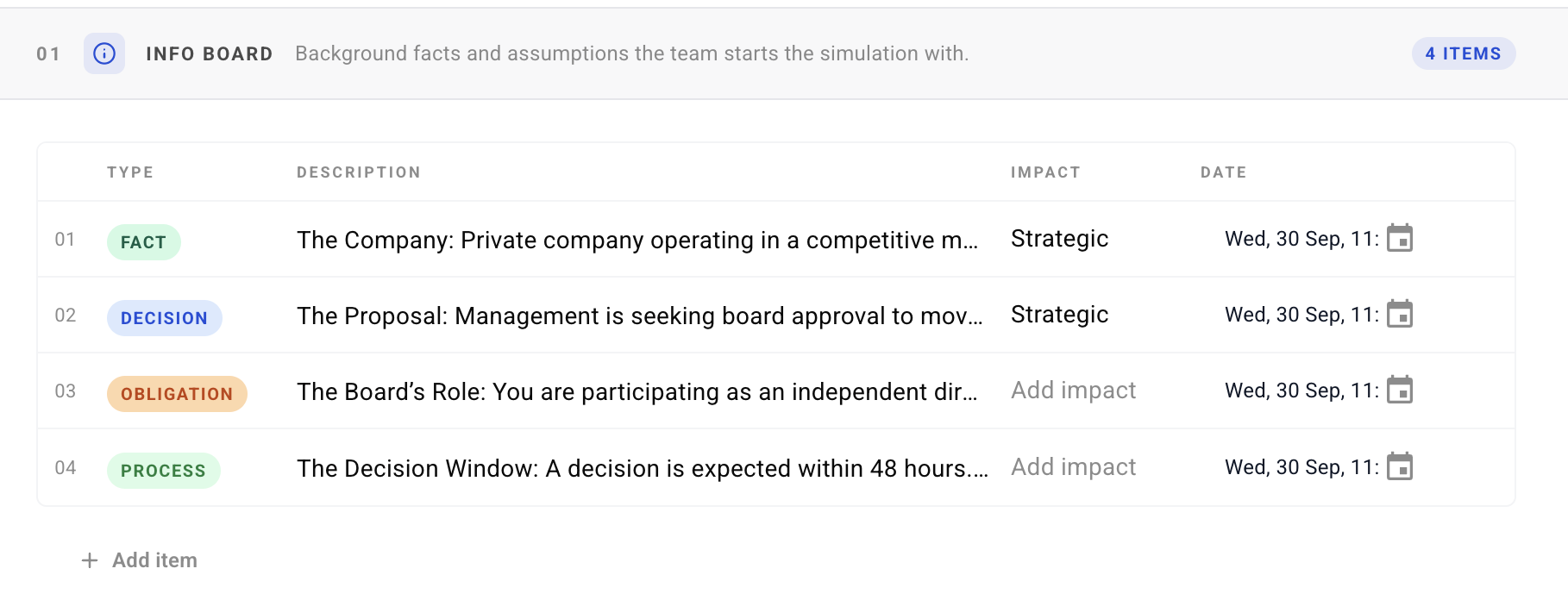
Decide what your team knows, what they need to do and where the impact lands before the first inject arrives.

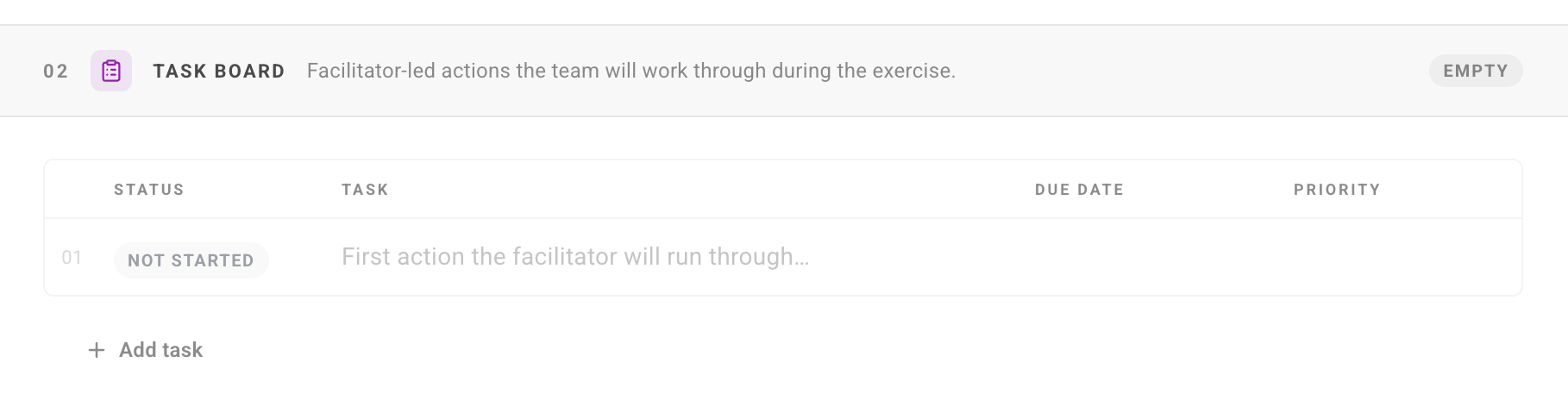
Info board in the builder: facts, decisions, obligations and processes with impact and dateTask board in the builder: facilitator-led actions with status, due date and priorityImpacted sites in the builder: locations marked as affected when the exercise begins
{{ room.cap }}
AI that does the heavy lifting

Make it yours in minutes, not weeks

Two AI tools take the manual work out of tailoring a simulation: Atlas brings in your organization's context, and Tapestry produces the media.

In the product today

Atlas context engine

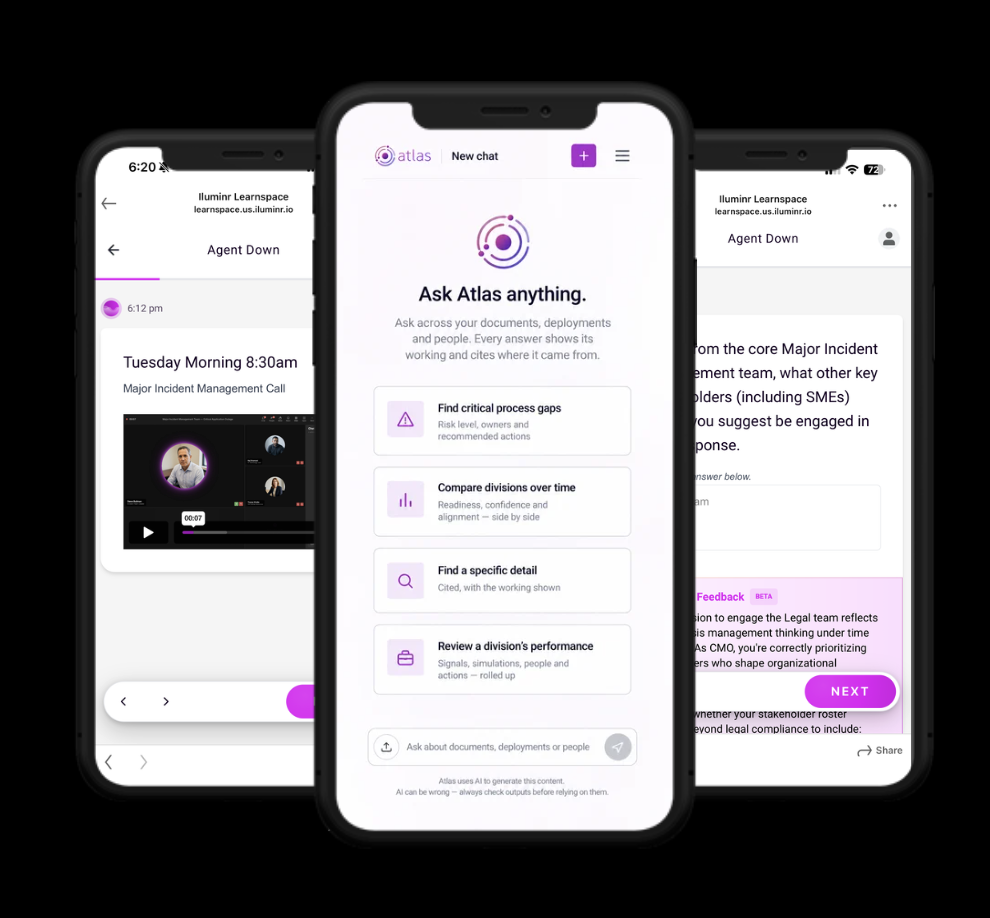
Atlas ingests your existing operational plans, GRC data and emergency documentation, so every simulation reflects how your organization actually works.

  • Grounds scenarios in your own plans, critical services and roles.
  • Gives teams dynamic, personalized guidance during active scenarios.
  • Keeps simulations aligned as your plans and documentation change.
Atlas on mobile: a Learnspace video inject, the Ask Atlas anything screen, and real-time feedback during practice
Ask Atlas across your documents, deployments and people, and get real-time feedback during individual practice.
Beta

Tapestry media generator

Tapestry generates the realistic media that brings an inject to life, without a production team.

  • Creates video, news, email and social injects tailored to your scenario.
  • Matches your organization, region and threat landscape.
  • Available to selected customers in beta. Ask us about early access.
A video inject, the kind of media Tapestry generates.

How easy is it?

  1. 1Pick a templateBrowse by regulation, capability or audience.
  2. 2Tailor itEdit roles, plans, services and injects in the builder.
  3. 3LaunchRun it as a Microsimulation, a full-scale simulation or with our experts.
  4. 4MeasureEvery decision feeds Capability Intelligence, so you can see progress over time.
Build in five guided sections: summary, objectives, event room setup, simulation timeline and learning loop. Preview any time, then deploy.

Frequently asked questions

Can I customize an iluminr simulation template?

Yes. Every template in the Simulation Template Library can be customized. You can change the roles, plans, critical services, injects, objectives, language and region.

Can I build a simulation from scratch?

Yes. The iluminr builder lets you design your own scenario, with your own injects, objectives, information board and task board.

Can iluminr build a simulation for us?

Yes. Our team can design a bespoke simulation with you, from scenario research to facilitation and the debrief.

Do customized simulations still measure capability?

Yes. Every simulation, whether a template, a customized template or one you build yourself, runs on the same platform and feeds the same Capability Intelligence.

Can a simulation be localized?

Yes. You can localize terminology, regulators and language, for example US or UK English, or Italian.
Have a scenario in mind?

Tell us what your team needs to practice. We'll show you how to build it, or build it with you.